Controlled documents and records
Give critical quality information a controlled home across authoring, review, approval, distribution and retention.

INQ. by QikSolve
INQ. configures electronic quality management around the processes your team already runs, with every record kept inside your own Microsoft 365 tenant — no extra login screens, no per-user licences.

The INQ. solution
When quality records are spread across files, spreadsheets and inboxes, it becomes harder to see what is approved, what needs action and who is responsible. INQ. brings those processes into one structured system built around your Microsoft 365 environment.
See how INQ. supports the quality work your team already does, then book a demonstration to discuss what would make sense for your organisation.
What is included
INQ. brings the core quality-management areas into a coherent operating model that can be adopted in stages.
Give critical quality information a controlled home across authoring, review, approval, distribution and retention.
Bring deviations, CAPA, changes, audits, complaints and suppliers into visible, accountable workflows.
Connect role-based responsibilities with the training and qualification evidence teams need to work with confidence.
Quality work in view
INQ. brings assigned actions, responsible groups, due dates, and activity into the same operating view. Teams can see what needs attention and move work forward without relying on scattered follow-up.
Explore the quality work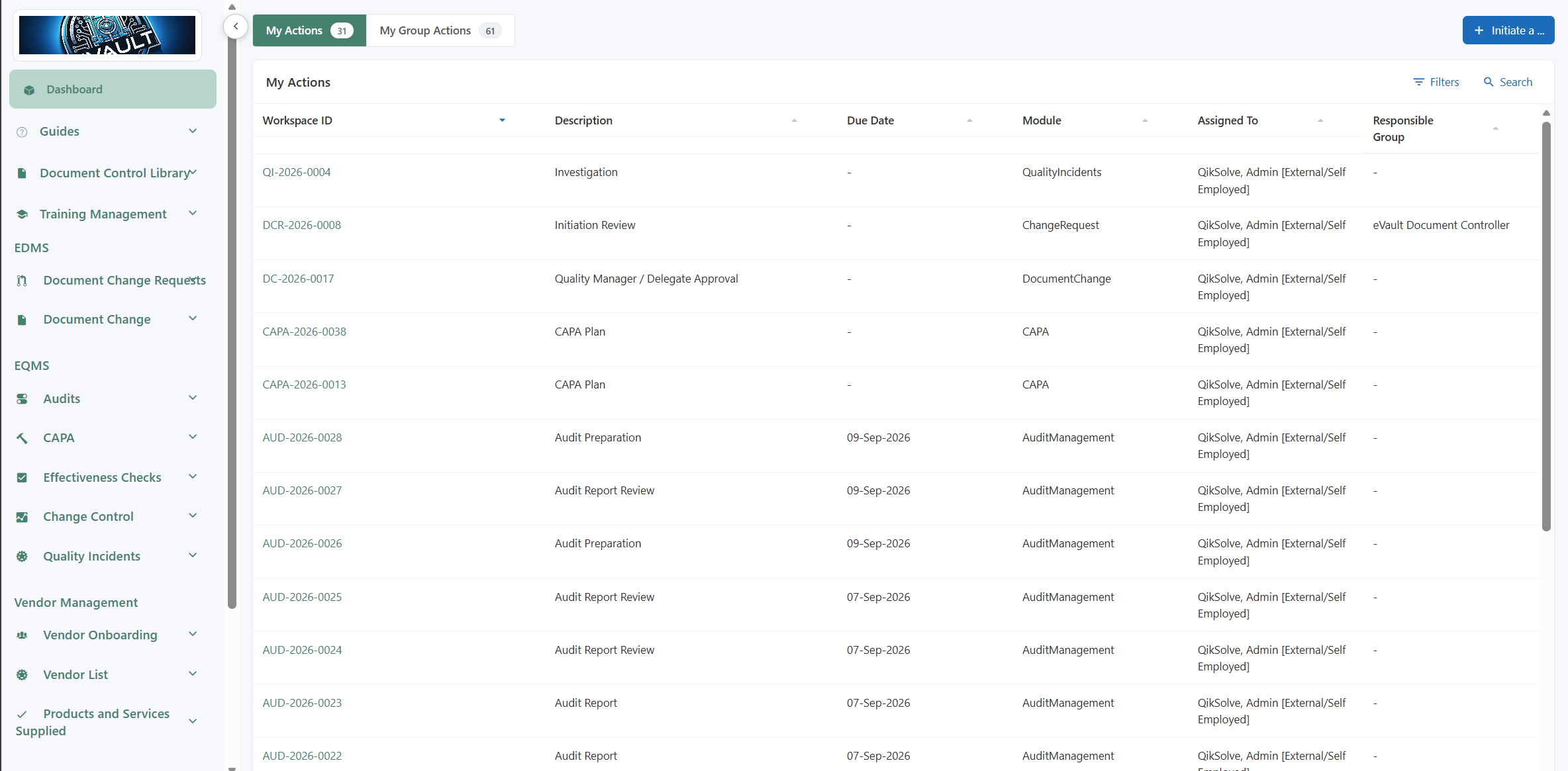
Foundations
INQ. brings together traceability, controlled access, continuity planning and the established Microsoft 365 platform your organisation already knows. The right configuration and validation still depend on your standards and intended use.
Explore the FoundationsAudit trails make actions, approvals, records and changes visible, so your team can review what happened and when.
Microsoft Entra ID and Microsoft 365 permissions help ensure that only approved users can access your quality processes and records.
INQ. uses SharePoint Online as a familiar Microsoft 365 foundation for managing quality information in a structured, governable environment.
Your records remain in your Microsoft 365 environment, with retention, recovery, restoration testing and operating procedures agreed for your intended use.
Implementation
You do not have to carry the implementation alone. QikSolve leads the workshop process, gives you clear review and sign-off points, and helps your team bring existing ways of working into a staged electronic rollout.
See how implementation worksBring the people who know your process. QikSolve leads the workshop and uses Workbench to shape the configuration with your team.
Review the stages, forms, routing and permissions at clear points before the baseline moves forward.
Start from the way your team works today, then test and improve it as you move from paper or a legacy system to electronic quality management.
Pricing and next steps
INQ. is a pay-once implementation offering with ongoing product bug fixes and patches included, and no recurring per-user licence cost. Start with the work that matters most, then expand when the value is clear.
See pricing and next stepsDiscuss your quality processes, Microsoft 365 environment, current pain points and the outcomes you need from a first module.
Agree the first process, workshop effort, configuration scope, testing responsibilities and any migration or integration needs.
Move forward with a clear starting scope, agreed implementation path and staged plan for extending INQ. across your operation.
Final step
Book a focused demonstration with QikSolve to confirm fit, scope and the path to implementation.
Book a demo